 ▶ Play free
Words of Wonders — Connect Letters, Uncover the World
Words of Wonders — WoW to regulars — turns a simple word search into a trip around the planet. Drag across adjacent letters, in any direction, to spell a word; get it right and it drops into place on the crossword grid underneath.
Every puzzle is set at a different landmark — the Great Wall of China, the Colosseum, the Pyramids of Giza — with a bit of trivia waiting once you clear it. The game eases you in with short, simple grids, then keeps raising the bar with longer words and trickier letter sets across 500+ levels. Stuck on one? A hint reveals a random letter, or spend a little in-game currency to pick exactly which letter you need. It's all free to play in the browser, no download required.
▶ Play Words of Wonders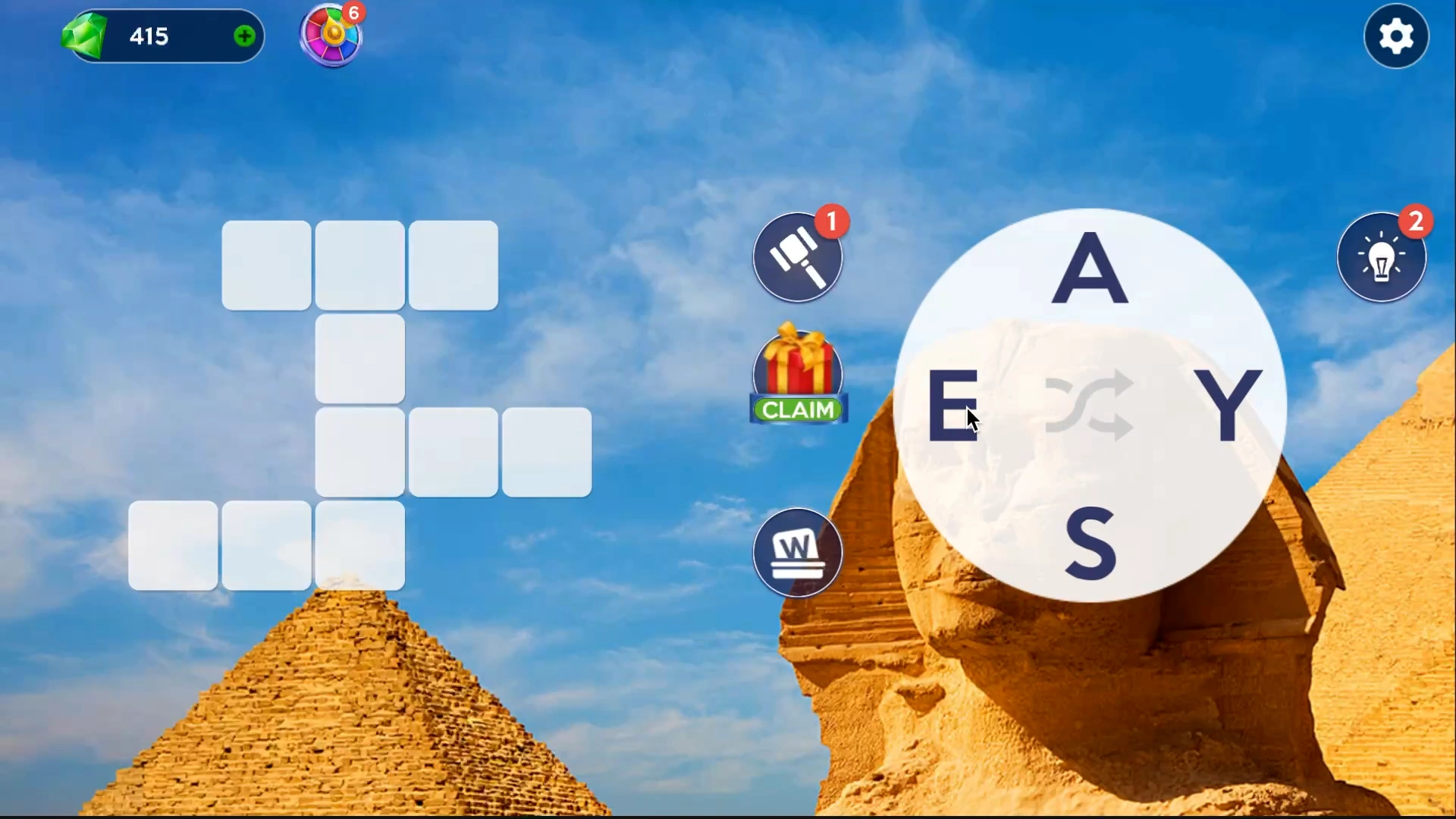
Connect letters. Discover hidden words. Let curiosity take you places.
Next stop: somewhere wonderful.
Every solved word carries you a little further around the world.
How to Play Words of Wonders
Find a route through the letters, fill the grid, and carry on to the next landmark.
Let’s play ↗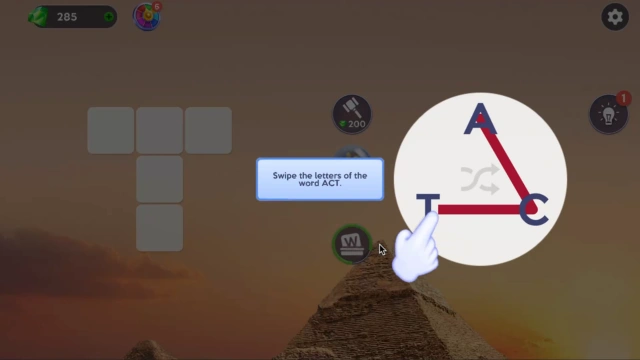 01
01Look at the grid
Each level shows a set of letters around a crossword-style grid with empty word slots waiting to be filled.
 02
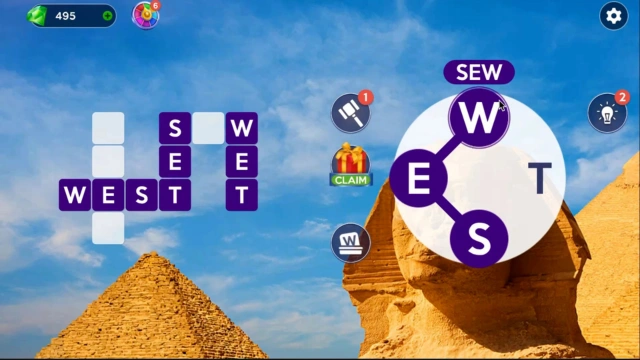
02Connect the letters
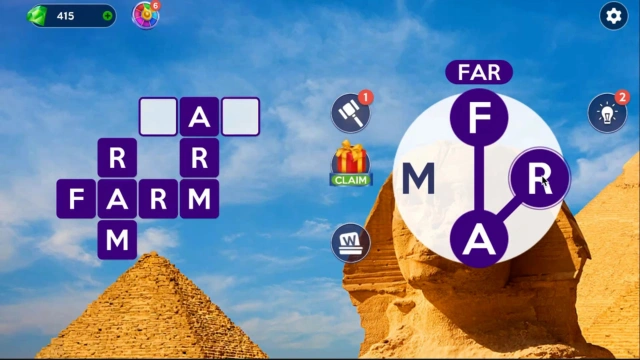
Click and drag, or swipe on a touchscreen, across adjacent letters, in any direction, to spell a word.
 03
03Fill the crossword
If the word you formed matches one hidden in the grid, it locks into place. Keep going until every slot is filled.
 04
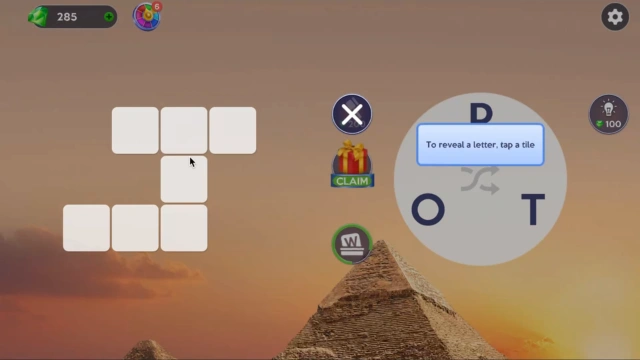
04Use hints when you're stuck
Reveal a random letter for free, or spend gems to choose exactly which letter to reveal, then move on to the next landmark.
How to Play Words of Wonders — Word Search Meets Crossword
Learn how to play Words of Wonders, the free browser word puzzle that blends word search with crossword-style grids across famous landmarks around the world.
This guide covers the basics: how to connect adjacent letters in any direction, how words lock into the crossword grid, and how to use hints when a level has you stuck.

Features
- Word search meets crossword — connect adjacent letters in any direction to form words, then watch them lock into a crossword grid underneath.
- 500+ levels — Words of Wonders ships with hundreds of puzzles that get progressively trickier as your vocabulary gets tested.
- A trip around real-world landmarks — each stage is set at a different wonder, from the Great Wall of China to the Colosseum, with a bit of trivia along the way.
- Built-in hints — stuck on a tricky grid? Reveal a random letter for free, or spend gems on a hint that picks the exact one you need.
- No download, no signup — Words of Wonders is a free HTML5 browser game that loads instantly on desktop, tablet, or phone.
- A calm brain workout for every age — easy enough to hand to a curious kid, deep enough to hold a dedicated wordsmith's attention.
- Genre
- Word & Puzzle
- Levels
- 500+
- Controls
- Mouse or touch
- Platforms
- Desktop, tablet & mobile
Words of Wonders — Frequently Asked Questions
A few clues before you begin.
- What is Words of Wonders?
- Words of Wonders (often shortened to WoW) is a free browser word puzzle that blends word search with crossword-style grids, set across famous landmarks around the world.
- How do you play Words of Wonders?
- Click and drag, or swipe on a touchscreen, across adjacent letters — in any direction — to spell a word. If it matches one hidden in the grid, it locks into place; keep going until the whole board is filled.
- How many levels does Words of Wonders have?
- The game ships with 500+ levels, spanning a long list of real-world landmarks and getting progressively harder as you go.
- What do gems do in Words of Wonders?
- Gems are the in-game currency (sometimes labeled sapphires, depending on the version) used to buy extra hints — including a hint that reveals a specific letter of your choosing instead of a random one.
- Is Words of Wonders free to play?
- Yes. Every level is free to play, with no signup required. Extra hint bundles are optional.
- Do I need to download anything to play?
- No. Words of Wonders runs directly in your browser as an HTML5 game — nothing to install on desktop, tablet, or phone.
- Is Words of Wonders similar to Scrabble?
- Not exactly — there's no tile rack or scoring board. It's closer to a word search crossed with a crossword: you're finding words hidden in a letter grid rather than building your own from a hand of tiles.
One word can take you somewhere wonderful.
▶ Play Words of WondersFree in your browser. No download needed.